• Home
  • 3D Scanning
    • BLK360
    • BLK360 G1
    • BLK2GO
    • BLK2GO PULSE
    • BLK2FLY
    • BLKARC
    • RTC360
    • P-Series
    • Cyclone FIELD 360
    • Cyclone REGISTER 360 PLUS
    • CloudWorx
    • Cyclone 3DR
    • TruView
    • Map360
    • Archive
  • Mobile Mapping
    • Hardware
      • Pegasus Backpack
      • Pegasus Two Ultimate
    • Software
      • Inertial Explorer
      • Infinity
      • Pegasus Manager
        • Mission Planning
        • Processing
        • Rail Factory
        • Rail Track Geometry
        • Real Time Data Exchange
        • Road Factory
        • Trajectory Adjustment
        • View Only
      • Pegasus MDA
  • Virtual Training
SMART PLAN
Login Register
Table of Contents
Toggle sidebar & navigation
  • Home
  • 3D Scanning
    • BLK360
    • BLK360 G1
    • BLK2GO
    • BLK2GO PULSE
    • BLK2FLY
    • BLKARC
    • RTC360
    • P-Series
    • Cyclone FIELD 360
    • Cyclone REGISTER 360 PLUS
    • CloudWorx
    • Cyclone 3DR
    • TruView
    • Map360
    • Archive
  • Mobile Mapping
    • Hardware
      • Pegasus Backpack
      • Pegasus Two Ultimate
    • Software
      • Inertial Explorer
      • Infinity
      • Pegasus Manager
        • Mission Planning
        • Processing
        • Rail Factory
        • Rail Track Geometry
        • Real Time Data Exchange
        • Road Factory
        • Trajectory Adjustment
        • View Only
      • Pegasus MDA
  • Virtual Training
HDSU Smart Plan

Tag / Bundle Cloud

Advanced ModeBasic ModeBundle CloudImportLink CloudRename SetupsRTC360 DataSetup CloudTruSlicer
3D Scanning, Cyclone REGISTER360

Part 2 – Importing RTC360 into Cyclone REGISTER 360 PLUS

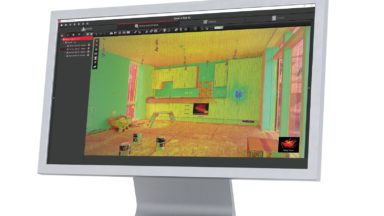
Learn how to import data collected on a RTC360 scanner using VIS and see the benefit of the onboard GPS with SiteMaps in the video by Brian Elbe This video also covers: Basic versus Advanced mode of reporting registration information Bundles Links Setup Clouds TruSlicer […]
BLK360, Cyclone REGISTER360, RTC360

Teachable Class – Processing BLK360 Data in REGISTER 360 (including BLK Edition)

This self-guided Teachable class shows users how to import, verify and process point cloud data in REGISTER 360. It also highlights some of the basic tool sets in the program.

Cyclone REGISTER360

Taking Measurements in Cyclone REGISTER 360 PLUS

Cyclone REGISTER360 Measurements Quick Guide overs how to take measurements, what they mean, how to take a screen capture and how to erase a measurement.

© 2025 Leica Geosystems – Part of Hexagon | Privacy Policy | Code of Business Conduct and Ethics | Cookies Settings | Ethics | Compliance

Designed by WPZOOM