
Principles of Data Collection
Before embarking on a scan job, it is important to do some preliminary field preparation in the office.This class will look at the overall operation of the scanning system so users can unlock their fullpotential.
Before embarking on a scan job, it is important to do some preliminary field preparation in the office.This class will look at the overall operation of the scanning system so users can unlock their fullpotential.

Tips and Tricks for updating to Cyclone Register 360 Plus 2025.0.0 released March 27 2025. Three major releases were pushed out March 27 2025. In summary make sure: Uninstall all old programs, get your windows updates installed and update your dedicated graphics driver from NVidia’s […]
There are a couple of ways to validate that your BLK360 is operating accurately. Remember it is always recommended to send in your instrument annually to the Leica Geosystems Service Center for calibration. Calibration Field Check Of the two tests that can be done, the […]
Instructions on how to update the firmware on the BLK360.
Cleaning Optics on the BLK360. Technique is applicable for other sensitive optics on scanners.
This Quick Guide covers how to import BLK360 data into Cyclone and explains the different import options.
Instructional Series of Videos to guide new BLK360 users on how to Register scan data in Cyclone Register 360.
December 2020 Apple released IOS update and offers a new connecting option called LOCAL NETWORK. Users of Cyclone Field 360 need to enter 1. SETTINGS / 2. CYCLONE FIELD 360 and allow connection via the new LOCAL NETWORK option in order to connect to scanner.
The following workflow shows users how to setup and scan with the BLK360. It covers onboard scanning, BLK Data Manager, Cyclone Field 360, field procedures, challenging surfaces, using targets and scanner maintenance.
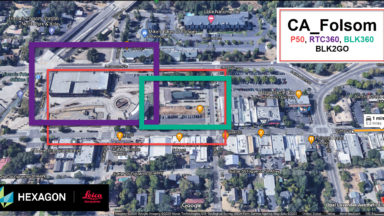
Register 360 MultiSensor registration virtual class recording.