• Home
  • 3D Scanning
    • BLK360
    • BLK360 G1
    • BLK2GO
    • BLK2GO PULSE
    • BLK2FLY
    • BLKARC
    • RTC360
    • P-Series
    • Cyclone FIELD 360
    • Cyclone REGISTER 360 PLUS
    • CloudWorx
    • Cyclone 3DR
    • TruView
    • Map360
    • Archive
  • Mobile Mapping
    • Hardware
      • Pegasus Backpack
      • Pegasus Two Ultimate
    • Software
      • Inertial Explorer
      • Infinity
      • Pegasus Manager
        • Mission Planning
        • Processing
        • Rail Factory
        • Rail Track Geometry
        • Real Time Data Exchange
        • Road Factory
        • Trajectory Adjustment
        • View Only
      • Pegasus MDA
  • Virtual Training

Recent Posts

  • Intermediate Workflows in Cyclone REGISTER 360 PLUS
  • Principles of Data Collection
  • Tips and Tricks in Cyclone REGISTER 360 PLUS
  • Map360 Fundamentals Rapid Overview
  • Cyclone REGISTER 360 Plus / RTC360 Workflow Video Series with Andrea

Recent Comments

  • AffiliateLabz on BLK360 Download Manager Workflow & Import into Register 360
  • SEO Company on BLK360 Download Manager Workflow & Import into Register 360

Archives

  • December 2025
  • July 2025
  • May 2025
  • March 2025
  • January 2025
  • August 2023
  • July 2023
  • February 2023
  • November 2022
  • October 2022
  • September 2022
  • August 2022
  • April 2022
  • March 2022
  • February 2022
  • January 2022
  • November 2021
  • October 2021
  • September 2021
  • August 2021
  • July 2021
  • June 2021
  • May 2021
  • April 2021
  • February 2021
  • January 2021
  • December 2020
  • November 2020
  • September 2020
  • August 2020
  • July 2020
  • June 2020
  • April 2020
  • December 2019
  • November 2019
  • October 2019
  • September 2019
  • May 2019

Categories

  • 3D Scanning
  • Archive
  • BLK2FLY
  • BLK2GO
  • BLK2GO PULSE
  • BLK360
  • BLK360 G1
  • BLK3D
  • BLKARC
  • CloudWorx
  • Cyclone 3DR
  • Cyclone Field 360
  • Cyclone REGISTER360
  • Infinity
  • JetStream
  • Map360
  • Mobile Mapping
  • New HDS User
  • P-Series Scanners
  • Pegasus Manager
  • Processing
  • PSG
  • Rithm powered by JetStream
  • RTC360
  • Scanners
  • ScanStation C10
  • Software
  • Spanish
  • TruView
  • Uncategorized

Meta

  • Log in
  • Entries feed
  • Comments feed
  • WordPress.org
SMART PLAN
Login Register
Table of Contents
Toggle sidebar & navigation
  • Home
  • 3D Scanning
    • BLK360
    • BLK360 G1
    • BLK2GO
    • BLK2GO PULSE
    • BLK2FLY
    • BLKARC
    • RTC360
    • P-Series
    • Cyclone FIELD 360
    • Cyclone REGISTER 360 PLUS
    • CloudWorx
    • Cyclone 3DR
    • TruView
    • Map360
    • Archive
  • Mobile Mapping
    • Hardware
      • Pegasus Backpack
      • Pegasus Two Ultimate
    • Software
      • Inertial Explorer
      • Infinity
      • Pegasus Manager
        • Mission Planning
        • Processing
        • Rail Factory
        • Rail Track Geometry
        • Real Time Data Exchange
        • Road Factory
        • Trajectory Adjustment
        • View Only
      • Pegasus MDA
  • Virtual Training
HDSU Smart Plan

Month / April 2020

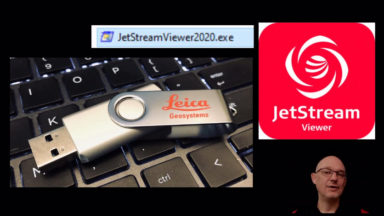
JetStreamJetStreamViewer2020.exeJSVLGSPortableUSBViewer
JSViewer Portable
JetStream

JetStreamViewer2020.exe Portable – Loading files

Detailed instructions on how to format USB to exFAT, load the portable viewer and .lgs file to a USB drive then unzip the viewer and test the deliverable.

JetStream

Accessing JetStream Data from CloudWorx Platforms

This document explains how to access JetStream from CloudWorx for AutoCAD, Revit, Navisworks, MicroStation and PDMS.
Archive

Cyclone Basics

Learning the basic commands and navigating Cyclone helps streamline workflows.

Cyclone Field 360

Creating Tags with Cyclone Field360

When taking an image in the field, the user can attach the image to the scan or save it as an asset into the project. Follow these steps when creating a tag in Cyclone Field360.
Archive, RTC360

Importing RTC360 Data into Cyclone

Importing RTC360 Data into Cyclone covers transferring the data from the RTC360, file management, creating a blank database in Cyclone and import settings.
Cyclone REGISTER360, RTC360

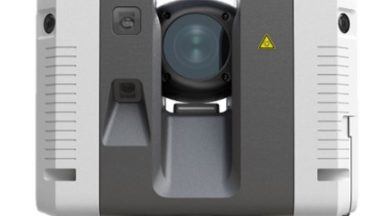
Importing RTC360 Data into Cyclone REGISTER360

Importing RTC360 Data into Cyclone REGISTER360 covers transferring data from the RTC360, file management and importing data into the program.

Cyclone REGISTER360

Meaning of Link Colors and Icons in Cyclone REGISTER360

Understanding the different link colors between scan positions is important for understanding the strength and parameters of the projects registration. Also knowing what color each scanner represents and file formats helps users navigate Cyclone REGISTER360.
Cyclone REGISTER360

Taking Measurements in Cyclone REGISTER 360 PLUS

Cyclone REGISTER360 Measurements Quick Guide overs how to take measurements, what they mean, how to take a screen capture and how to erase a measurement.
Cyclone REGISTER360

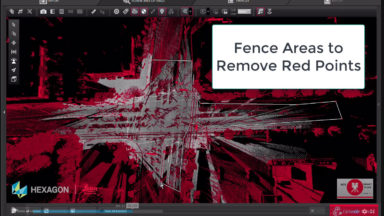
Using Find Smooth Surface Cleaning Tool in Cyclone REGISTER 360 PLUS

Point Cloud cleaning of roadway and flat surfaces of noise or items above the surface has been added into version 2020 of Register 360.

New HDS User, PSG

Trajectory Basics and Scanning your Scene

Basics of Trajectory field work. Part of a developing series for Public Safety Group. PSG

1 2

© 2025 Leica Geosystems – Part of Hexagon | Privacy Policy | Code of Business Conduct and Ethics | Cookies Settings | Ethics | Compliance

Designed by WPZOOM