• Home
  • 3D Scanning
    • BLK360
    • BLK360 G1
    • BLK2GO
    • BLK2GO PULSE
    • BLK2FLY
    • BLKARC
    • RTC360
    • P-Series
    • Cyclone FIELD 360
    • Cyclone REGISTER 360 PLUS
    • CloudWorx
    • Cyclone 3DR
    • TruView
    • Map360
    • Archive
  • Mobile Mapping
    • Hardware
      • Pegasus Backpack
      • Pegasus Two Ultimate
    • Software
      • Inertial Explorer
      • Infinity
      • Pegasus Manager
        • Mission Planning
        • Processing
        • Rail Factory
        • Rail Track Geometry
        • Real Time Data Exchange
        • Road Factory
        • Trajectory Adjustment
        • View Only
      • Pegasus MDA
  • Virtual Training
SMART PLAN
Login Register
Table of Contents
Toggle sidebar & navigation
  • Home
  • 3D Scanning
    • BLK360
    • BLK360 G1
    • BLK2GO
    • BLK2GO PULSE
    • BLK2FLY
    • BLKARC
    • RTC360
    • P-Series
    • Cyclone FIELD 360
    • Cyclone REGISTER 360 PLUS
    • CloudWorx
    • Cyclone 3DR
    • TruView
    • Map360
    • Archive
  • Mobile Mapping
    • Hardware
      • Pegasus Backpack
      • Pegasus Two Ultimate
    • Software
      • Inertial Explorer
      • Infinity
      • Pegasus Manager
        • Mission Planning
        • Processing
        • Rail Factory
        • Rail Track Geometry
        • Real Time Data Exchange
        • Road Factory
        • Trajectory Adjustment
        • View Only
      • Pegasus MDA
  • Virtual Training
HDSU Smart Plan

Category / 3D Scanning

All Things 3D Scanning

Basic NavigationCircular FenceClear FenceCloud Color RenderingCloud Density ReductionCloud One-SidedCloud Rendering (Back)Cloud Rendering (Front)Cloud ShadedCloud ShadingComputer SpecsControlSpaceCreating a DatabaseCyclone NavigatorCyclone ServersFile ManagementFly ModeGrey ScaleIntensityLayersLocal SeekModelSpaceMulti-Pick ModeOrthographic ModePanPanoramic ModePerspective ModePick ModePoint Cloud Pixel WidthPolygonal FenceRectangular FenceRegistrationRotateScanWorldScanWorld ExplorerSeek ModeSilhouette ModeSlow Down MovementTrue ColorView AsView ModeView PropertiesZoom
Archive

Cyclone Basics

Learning the basic commands and navigating Cyclone helps streamline workflows.

Cyclone Field 360

Creating Tags with Cyclone Field360

When taking an image in the field, the user can attach the image to the scan or save it as an asset into the project. Follow these steps when creating a tag in Cyclone Field360.

Archive, RTC360

Importing RTC360 Data into Cyclone

Importing RTC360 Data into Cyclone covers transferring the data from the RTC360, file management, creating a blank database in Cyclone and import settings.
Cyclone REGISTER360, RTC360

Importing RTC360 Data into Cyclone REGISTER360

Importing RTC360 Data into Cyclone REGISTER360 covers transferring data from the RTC360, file management and importing data into the program.

Cyclone REGISTER360

Meaning of Link Colors and Icons in Cyclone REGISTER360

Understanding the different link colors between scan positions is important for understanding the strength and parameters of the projects registration. Also knowing what color each scanner represents and file formats helps users navigate Cyclone REGISTER360.
Cyclone REGISTER360

Taking Measurements in Cyclone REGISTER 360 PLUS

Cyclone REGISTER360 Measurements Quick Guide overs how to take measurements, what they mean, how to take a screen capture and how to erase a measurement.
Cyclone REGISTER360

Using Find Smooth Surface Cleaning Tool in Cyclone REGISTER 360 PLUS

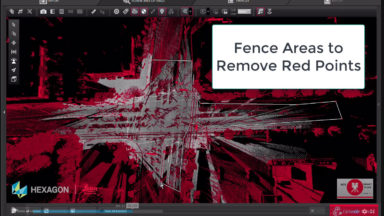
Point Cloud cleaning of roadway and flat surfaces of noise or items above the surface has been added into version 2020 of Register 360.

BLK360, Cyclone Field 360

Cyclone Field 360 BLK360 Field Project and Workflow Basics

  Cyclone Field 360 BLK Import and Workflow Process FW3 v2020
BLK360, Cyclone REGISTER360, New HDS User

BLK360 Download Manager Workflow & Import into Register 360

BLK360 Download Manager workflow to Import into Register 360
CloudWorx, Cyclone REGISTER360, New HDS User, RTC360

Learning.Leica-Geosystems.com Additional Training Resource

Learning Leica is a website that offers additional training course content for current CCP customers.

1 … 8 9 10 11 12 … 15

© 2025 Leica Geosystems – Part of Hexagon | Privacy Policy | Code of Business Conduct and Ethics | Cookies Settings | Ethics | Compliance

Designed by WPZOOM