• Home
  • 3D Scanning
    • BLK360
    • BLK360 G1
    • BLK2GO
    • BLK2GO PULSE
    • BLK2FLY
    • BLKARC
    • RTC360
    • P-Series
    • Cyclone FIELD 360
    • Cyclone REGISTER 360 PLUS
    • CloudWorx
    • Cyclone 3DR
    • TruView
    • Map360
    • Archive
  • Mobile Mapping
    • Hardware
      • Pegasus Backpack
      • Pegasus Two Ultimate
    • Software
      • Inertial Explorer
      • Infinity
      • Pegasus Manager
        • Mission Planning
        • Processing
        • Rail Factory
        • Rail Track Geometry
        • Real Time Data Exchange
        • Road Factory
        • Trajectory Adjustment
        • View Only
      • Pegasus MDA
  • Virtual Training
SMART PLAN
Login Register
Table of Contents
Toggle sidebar & navigation
  • Home
  • 3D Scanning
    • BLK360
    • BLK360 G1
    • BLK2GO
    • BLK2GO PULSE
    • BLK2FLY
    • BLKARC
    • RTC360
    • P-Series
    • Cyclone FIELD 360
    • Cyclone REGISTER 360 PLUS
    • CloudWorx
    • Cyclone 3DR
    • TruView
    • Map360
    • Archive
  • Mobile Mapping
    • Hardware
      • Pegasus Backpack
      • Pegasus Two Ultimate
    • Software
      • Inertial Explorer
      • Infinity
      • Pegasus Manager
        • Mission Planning
        • Processing
        • Rail Factory
        • Rail Track Geometry
        • Real Time Data Exchange
        • Road Factory
        • Trajectory Adjustment
        • View Only
      • Pegasus MDA
  • Virtual Training
HDSU Smart Plan

Category / 3D Scanning

All Things 3D Scanning

BLK2GOBLK360HDS TargetsMulitSensorP16P20P30P40P50Register 360Registration TechniquesRTC360VC Recording
3D Scanning, BLK2GO, BLK360, Cyclone REGISTER360, Mobile Mapping, P-Series Scanners, RTC360

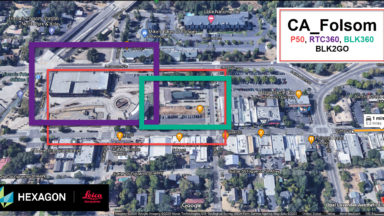
Register 360 – MultiSensor Registration P50, RTC360, BLK360, BLK2GO Data – VC Recording

Register 360 MultiSensor registration virtual class recording.
Cyclone Field 360

1-3B Aligning Scans in Cyclone Field 360 Extended Version

https://vimeo.com/434485372 1-3B - Aligning Scans in Cyclone Field 360 Extended Version
3D Scanning, CloudWorx

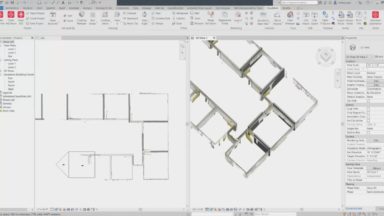
Scan to Plan in CloudWorx for Revit

This section demonstrates the workflow of taking scan data of an office space and producing a final 2D floor plan in Revt.
3D Scanning, Archive

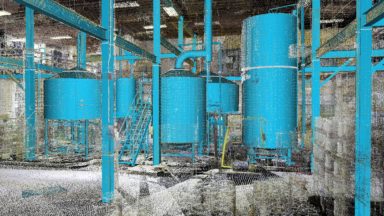
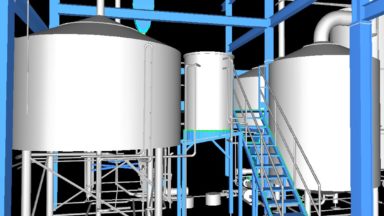
Modeling in Cyclone – Part 2

Part 2 of Modeling in Cyclone will cover Piping Components, Model Library, Irregular Shapes, Colorizing and Shading, ModelSpace Inventory Table and Exporting Modeled Objects.
3D Scanning, Archive

Modeling in Cyclone – Part 1

Part 1 of Modeling in Cyclone will cover Object Preferences, Parts Table, Hotkeys, Patches, Cylinders, Spheres, Cones, Boxes, Corners and Steel Components.
3D Scanning, Cyclone 3DR

Tunnel Analysis in Cyclone 3DR

The tunnel analysis tool is an excellent application to create cross sections and compare it to a designed model.
3D Scanning, Cyclone 3DR

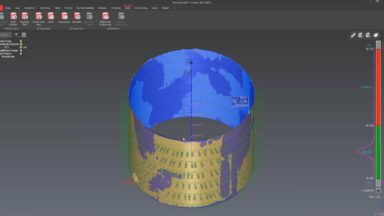
Tank Inspection/Analysis Routine in Cyclone 3DR

The tank module is dedicated to analysis on above ground tanks with vertical cylinder design, single shell with or without a roof.
3D Scanning, BLK360, BLK3D, Cyclone Field 360, Cyclone REGISTER360, JetStream, Map360, P-Series Scanners, PSG, RTC360, Scanners, TruView

Reality Capture Field to Finish Workflow

The following list of videos steps the customer through the process of deploying the RTC360 and creating deliverables for clients.
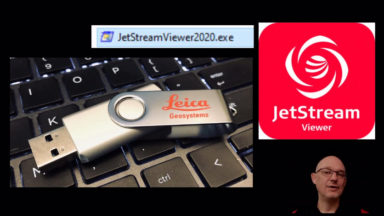
JSViewer Portable
JetStream

JetStreamViewer2020.exe Portable – Loading files

Detailed instructions on how to format USB to exFAT, load the portable viewer and .lgs file to a USB drive then unzip the viewer and test the deliverable.

JetStream

Accessing JetStream Data from CloudWorx Platforms

This document explains how to access JetStream from CloudWorx for AutoCAD, Revit, Navisworks, MicroStation and PDMS.

1 … 7 8 9 10 11 … 15

© 2025 Leica Geosystems – Part of Hexagon | Privacy Policy | Code of Business Conduct and Ethics | Cookies Settings | Ethics | Compliance

Designed by WPZOOM