• Home
  • 3D Scanning
    • BLK360
    • BLK360 G1
    • BLK2GO
    • BLK2GO PULSE
    • BLK2FLY
    • BLKARC
    • RTC360
    • P-Series
    • Cyclone FIELD 360
    • Cyclone REGISTER 360 PLUS
    • CloudWorx
    • Cyclone 3DR
    • TruView
    • Map360
    • Archive
  • Mobile Mapping
    • Hardware
      • Pegasus Backpack
      • Pegasus Two Ultimate
    • Software
      • Inertial Explorer
      • Infinity
      • Pegasus Manager
        • Mission Planning
        • Processing
        • Rail Factory
        • Rail Track Geometry
        • Real Time Data Exchange
        • Road Factory
        • Trajectory Adjustment
        • View Only
      • Pegasus MDA
  • Virtual Training

Recent Posts

  • Intermediate Workflows in Cyclone REGISTER 360 PLUS
  • Principles of Data Collection
  • Tips and Tricks in Cyclone REGISTER 360 PLUS
  • Map360 Fundamentals Rapid Overview
  • Cyclone REGISTER 360 Plus / RTC360 Workflow Video Series with Andrea

Recent Comments

  • AffiliateLabz on BLK360 Download Manager Workflow & Import into Register 360
  • SEO Company on BLK360 Download Manager Workflow & Import into Register 360

Archives

  • December 2025
  • July 2025
  • May 2025
  • March 2025
  • January 2025
  • August 2023
  • July 2023
  • February 2023
  • November 2022
  • October 2022
  • September 2022
  • August 2022
  • April 2022
  • March 2022
  • February 2022
  • January 2022
  • November 2021
  • October 2021
  • September 2021
  • August 2021
  • July 2021
  • June 2021
  • May 2021
  • April 2021
  • February 2021
  • January 2021
  • December 2020
  • November 2020
  • September 2020
  • August 2020
  • July 2020
  • June 2020
  • April 2020
  • December 2019
  • November 2019
  • October 2019
  • September 2019
  • May 2019

Categories

  • 3D Scanning
  • Archive
  • BLK2FLY
  • BLK2GO
  • BLK2GO PULSE
  • BLK360
  • BLK360 G1
  • BLK3D
  • BLKARC
  • CloudWorx
  • Cyclone 3DR
  • Cyclone Field 360
  • Cyclone REGISTER360
  • Infinity
  • JetStream
  • Map360
  • Mobile Mapping
  • New HDS User
  • P-Series Scanners
  • Pegasus Manager
  • Processing
  • PSG
  • Rithm powered by JetStream
  • RTC360
  • Scanners
  • ScanStation C10
  • Software
  • Spanish
  • TruView
  • Uncategorized

Meta

  • Log in
  • Entries feed
  • Comments feed
  • WordPress.org
SMART PLAN
Login Register
Table of Contents
Toggle sidebar & navigation
  • Home
  • 3D Scanning
    • BLK360
    • BLK360 G1
    • BLK2GO
    • BLK2GO PULSE
    • BLK2FLY
    • BLKARC
    • RTC360
    • P-Series
    • Cyclone FIELD 360
    • Cyclone REGISTER 360 PLUS
    • CloudWorx
    • Cyclone 3DR
    • TruView
    • Map360
    • Archive
  • Mobile Mapping
    • Hardware
      • Pegasus Backpack
      • Pegasus Two Ultimate
    • Software
      • Inertial Explorer
      • Infinity
      • Pegasus Manager
        • Mission Planning
        • Processing
        • Rail Factory
        • Rail Track Geometry
        • Real Time Data Exchange
        • Road Factory
        • Trajectory Adjustment
        • View Only
      • Pegasus MDA
  • Virtual Training
HDSU Smart Plan

Category / RTC360

All topics related to the RTC360 for example how to update the firmware, optimal settings and specifications

RTCRTC360RTC360LTVIS
3D Scanning, RTC360, Scanners

3_RTC360 – First Setup and Moving the Scanner using VIS

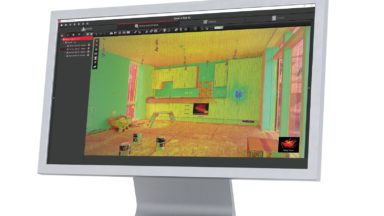
VIS (Visual Inertial System) uses 5 cameras and the IMU to track the scanners movement from one scan position to the next and aids in automated field alignment. Cyclone Field 360 use on a tablet is not required for VIS to operate and provide an […]
3D Scanning, RTC360, Scanners

2_RTC360-Setting up the Scanner

Watch the following video to learn how to setup the scanner on the GST80 carbon fiber tripod.

3D Scanning, RTC360, Scanners

1_RTC360-Overview of Components

Watch the following quick video for an overview of the RTC360 Components.

3D Scanning, BLK360, Cyclone Field 360, New HDS User, P-Series Scanners, PSG, RTC360, Scanners

Cyclone Field 360 Virtual Class Recording 2022 02 07

Cyclone Field 360 Virtual Class Recording

BLK360, Cyclone REGISTER360, RTC360

Teachable Class – Processing BLK360 Data in REGISTER 360 (including BLK Edition)

This self-guided Teachable class shows users how to import, verify and process point cloud data in REGISTER 360. It also highlights some of the basic tool sets in the program.

3D Scanning, BLK2GO, BLK360, Cyclone REGISTER360, Map360, New HDS User, P-Series Scanners, RTC360

HDS Computer Selection

Selecting a Computer for HDS point cloud processing.

3D Scanning, BLK360, P-Series Scanners, RTC360, ScanStation C10, Spanish

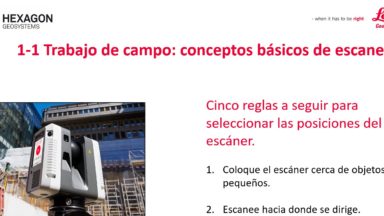
1-1 Trabajo de campo: conceptos básicos de escaneo

Cinco reglas a seguir para seleccionar las posiciones del escáner.

Coloque el escáner cerca de objetos pequeños.

Escanee hacia donde se dirige.

Escanee hacia donde estaba.

Escanee cada umbral.

Escaneo del ángulo de 45 grados.

3D Scanning, BLK360, New HDS User, PSG, RTC360

Cleaning Optics – BLK360

Cleaning Optics on the BLK360. Technique is applicable for other sensitive optics on scanners.

BLK360, Cyclone Field 360, RTC360

Cyclone Field 360 Apple IOS v.14.2 New WiFi Security Step

December 2020 Apple released IOS update and offers a new connecting option called LOCAL NETWORK. Users of Cyclone Field 360 need to enter 1. SETTINGS / 2. CYCLONE FIELD 360 and allow connection via the new LOCAL NETWORK option in order to connect to scanner.

3D Scanning, BLK2GO, BLK360, Cyclone REGISTER360, Mobile Mapping, P-Series Scanners, RTC360

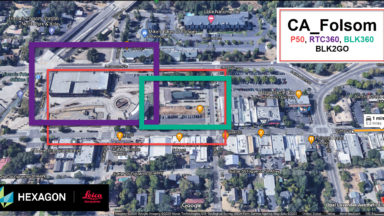
Register 360 – MultiSensor Registration P50, RTC360, BLK360, BLK2GO Data – VC Recording

Register 360 MultiSensor registration virtual class recording.

1 2 3

© 2025 Leica Geosystems – Part of Hexagon | Privacy Policy | Code of Business Conduct and Ethics | Cookies Settings | Ethics | Compliance

Designed by WPZOOM