• Home
  • 3D Scanning
    • BLK360
    • BLK360 G1
    • BLK2GO
    • BLK2GO PULSE
    • BLK2FLY
    • BLKARC
    • RTC360
    • P-Series
    • Cyclone FIELD 360
    • Cyclone REGISTER 360 PLUS
    • CloudWorx
    • Cyclone 3DR
    • TruView
    • Map360
    • Archive
  • Mobile Mapping
    • Hardware
      • Pegasus Backpack
      • Pegasus Two Ultimate
    • Software
      • Inertial Explorer
      • Infinity
      • Pegasus Manager
        • Mission Planning
        • Processing
        • Rail Factory
        • Rail Track Geometry
        • Real Time Data Exchange
        • Road Factory
        • Trajectory Adjustment
        • View Only
      • Pegasus MDA
  • Virtual Training
SMART PLAN
Login Register
Table of Contents
Toggle sidebar & navigation
  • Home
  • 3D Scanning
    • BLK360
    • BLK360 G1
    • BLK2GO
    • BLK2GO PULSE
    • BLK2FLY
    • BLKARC
    • RTC360
    • P-Series
    • Cyclone FIELD 360
    • Cyclone REGISTER 360 PLUS
    • CloudWorx
    • Cyclone 3DR
    • TruView
    • Map360
    • Archive
  • Mobile Mapping
    • Hardware
      • Pegasus Backpack
      • Pegasus Two Ultimate
    • Software
      • Inertial Explorer
      • Infinity
      • Pegasus Manager
        • Mission Planning
        • Processing
        • Rail Factory
        • Rail Track Geometry
        • Real Time Data Exchange
        • Road Factory
        • Trajectory Adjustment
        • View Only
      • Pegasus MDA
  • Virtual Training
HDSU Smart Plan

Category / 3D Scanning

All Things 3D Scanning

Auto Align ScansCreate Blank DatabaseFind B&W TargetsFind Pipes AutomaticallyFind Sphere TargetsImage ResolutionImport SettingsImport SpeedPartial ImportScanStation P16ScanStation P20ScanStation P30ScanStation P40ScanStation P50Smart AlignSmart Align by DistanceSmart Align by TimeSubSample
3D Scanning, Archive, P-Series Scanners

Importing Pxx ScanStation Data into Cyclone

This post covers how to import Pxx ScanStation data, into Cyclone, including how to create a blank database, import options, viewing imported data and partial imports.
3D Scanning, BLK360, New HDS User, PSG, Scanners

BLK360 Firmware 2.0.0 Updating

Instructions on how to update the firmware on the BLK360.

3D Scanning, BLK360, New HDS User, PSG, RTC360

Cleaning Optics – BLK360

Cleaning Optics on the BLK360. Technique is applicable for other sensitive optics on scanners.
3D Scanning, Archive, BLK360

Importing BLK Data into Cyclone

This Quick Guide covers how to import BLK360 data into Cyclone and explains the different import options.
BLK360, Cyclone REGISTER360

Processing BLK360 Data with Cyclone REGISTER 360

Instructional Series of Videos to guide new BLK360 users on how to Register scan data in Cyclone Register 360.

BLK360, Cyclone Field 360, RTC360

Cyclone Field 360 Apple IOS v.14.2 New WiFi Security Step

December 2020 Apple released IOS update and offers a new connecting option called LOCAL NETWORK. Users of Cyclone Field 360 need to enter 1. SETTINGS / 2. CYCLONE FIELD 360 and allow connection via the new LOCAL NETWORK option in order to connect to scanner.
3D Scanning, Archive, ScanStation C10

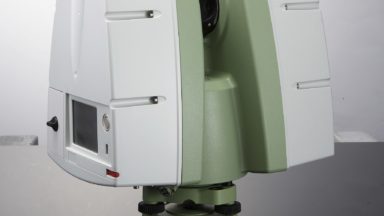
Importing ScanStation C10 Data into Cyclone

This post covers how to import ScanStation C10 data, including how to create a blank database, import options, viewing imported data and partial imports.

3D Scanning, BLK360, Cyclone Field 360

Scanning with the BLK360

The following workflow shows users how to setup and scan with the BLK360. It covers onboard scanning, BLK Data Manager, Cyclone Field 360, field procedures, challenging surfaces, using targets and scanner maintenance.

3D Scanning, Archive, JetStream, PSG

Cyclone: Insert Camera Position for Video Overlay Analysis Using a Station Position Published to an LGS File

Cyclone Register workflow to place a camera on a video camera and export to LGS file for overlay workflow in iNPUT Ace software.

3D Scanning, Cyclone REGISTER360, JetStream, New HDS User, PSG

Utilizing GeoTags and Limit Boxes in Register 360 to Enhance JS Viewer Presentations

Virtual Class Recording 1:52 minutes on workflows in Register 360 to enhance presenting in the LGS JetStream Viewer deliverables.

1 … 6 7 8 9 10 … 15

© 2025 Leica Geosystems – Part of Hexagon | Privacy Policy | Code of Business Conduct and Ethics | Cookies Settings | Ethics | Compliance

Designed by WPZOOM